 Zoupyu × Whop
Get paid
to clip.
A step-by-step guide to finding paid campaigns on Whop, clipping the video with Zoupyu, posting it and getting paid per view.
Zoupyu × Whop
A step-by-step guide to finding paid campaigns on Whop, clipping the video with Zoupyu, posting it and getting paid per view.
A live campaign with a good rate and budget left.
Read the rules and grab the source files.
Cut the best moments with Zoupyu in minutes.
Post it, send in the link, earn per view.
Brands put money into a campaign. You post clips on your own account and send in the links. Whop counts the views and pays you for every 1,000 views, at the rate that campaign sets. Whop's clipping marketplace is called Content Rewards.
| Term | What it means | Example |
|---|---|---|
| Rate | What you earn for every 1,000 views | $2 per 1K views |
| Min payout | A clip has to earn this much before it pays | $4, which is 2,000 views at $2 per 1K |
| Max payout | The most a single clip can earn | $300 per clip |
| Budget | The brand's total pot. When it is empty, earning stops | $996 of $1,000 used |
| Platforms | Where your post has to be published | TikTok, Instagram, X, YouTube |
This is arithmetic, not a forecast. Your real earnings depend on the views your clips get, the campaign cap and whether the budget lasts.
Open contentrewards.com and use Sign in or Create Account at the top right. Use the email you want your payouts tied to.
When Whop asks, connect the TikTok, Instagram, YouTube or X account you will post from. A campaign can only pay for posts it can match to you.
Add how you want to be paid before your first clip earns, so nothing waits on you later.
Open Discover to see every live campaign. You can browse without signing in.
 Clip Farm· 2wClip Farm· 2w
Each card shows the budget paid out so far, how many clippers have joined and the rate per 1,000 views. The platform icons show where you can post.
Top: rate, minimum and maximum payout for each platform. Bottom: how much of the budget is gone. This one has almost nothing left, so skip it.
On Whop the brand usually gives you the footage, so the big choice is which campaign to join. Pick subjects you already follow and you will spot the best moments faster.
Campaigns often list timestamps or moments they like. Start there, then add your own finds.
When you clip your own topic, open Google Trends, set the range to the past 7 days and look at Trending now and Related queries.
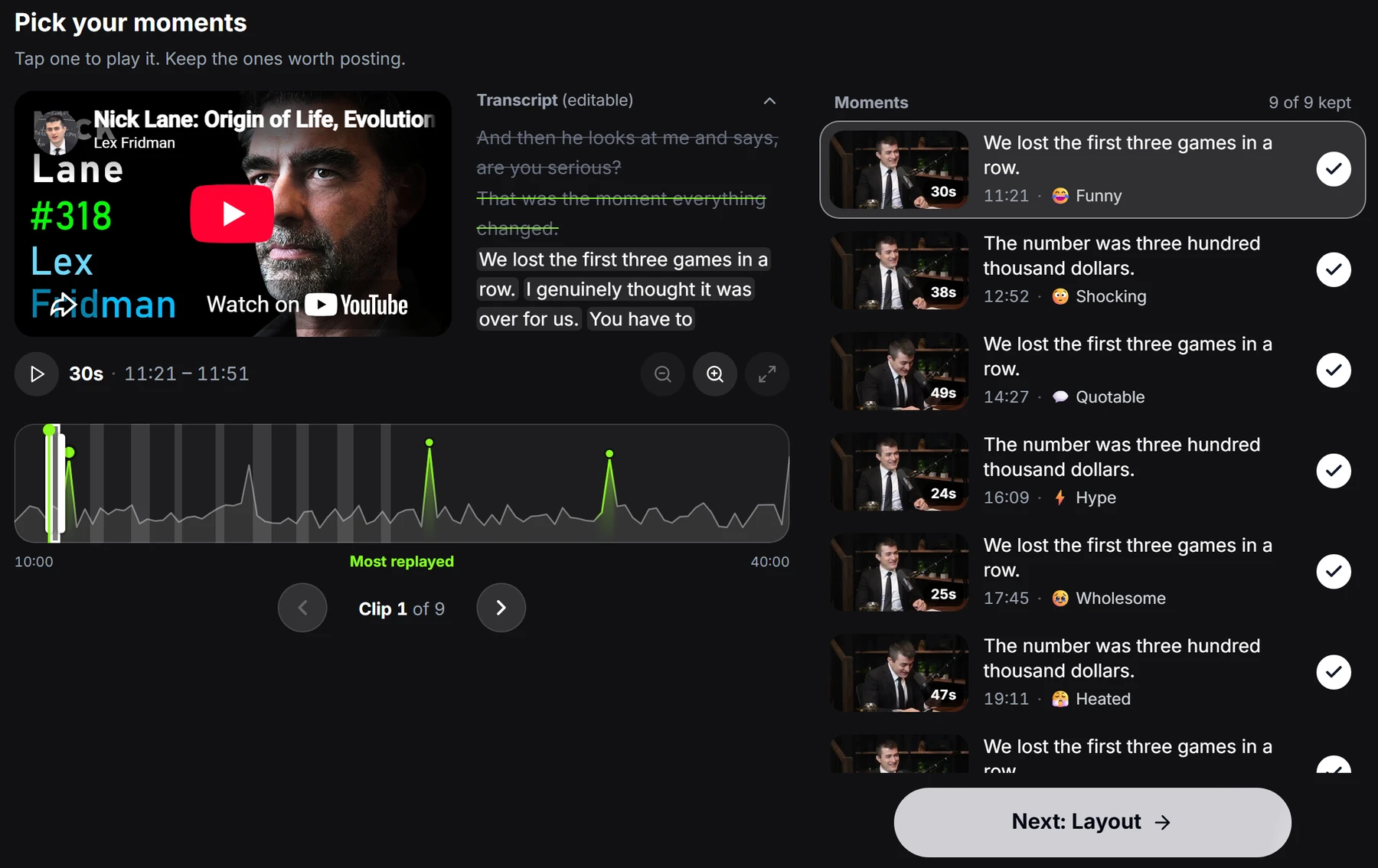
On YouTube videos, Zoupyu shows a Most replayed graph. The peaks are where viewers rewatch, which makes them strong starting points.
Start with a claim, a question or a surprise, and make the clip one complete idea.
Trends show what people search for. They do not guarantee a clip will do well. Only clip footage you are allowed to use, such as source files a campaign provides.
Zoupyu turns a long video into short vertical clips with captions. Paste a link, pick the moments you like, and it renders them. You get free credits to start.
Go to zoupyu.com and paste a YouTube, Twitch VOD or Google Drive link. You can also upload a file. Press Generate Clips.
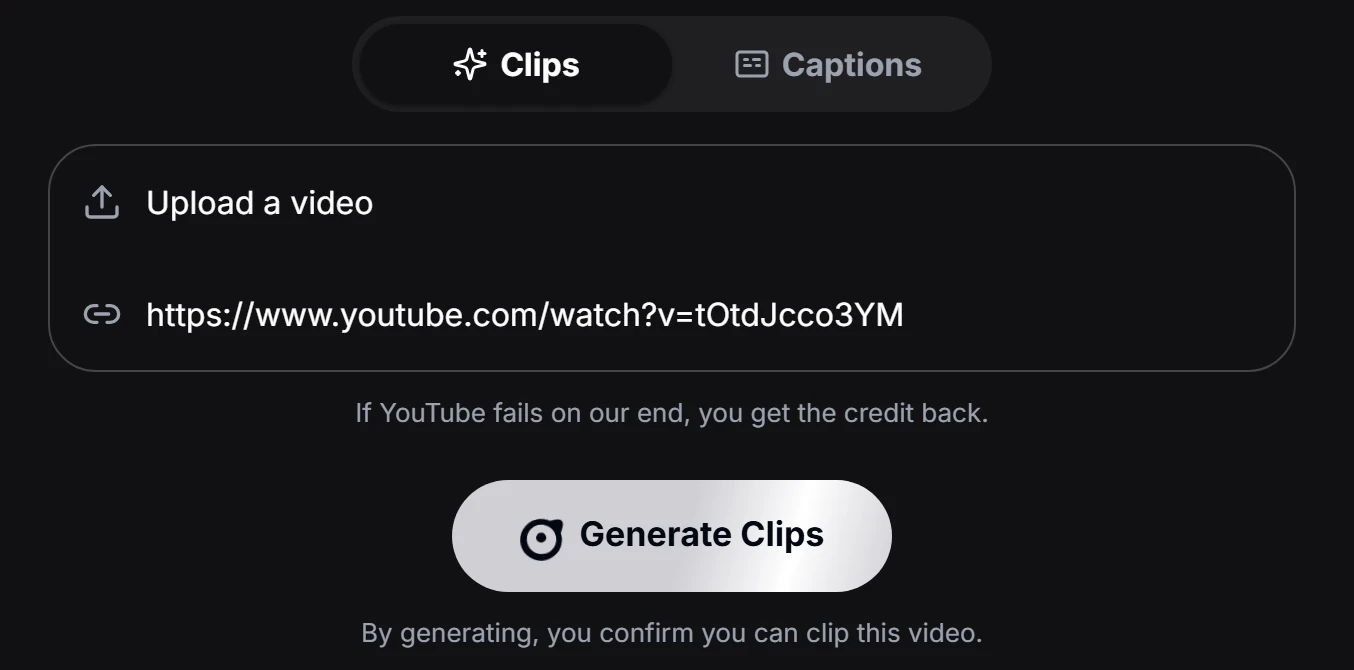
Free accounts may see an Unlock screen first. Choose Lock and proceed to carry on with the free limits.
Zoupyu finds the strongest moments. Tap one to play it, untick the ones you do not want, tap any word to fix the captions, and drag the start or end to trim. Nothing renders until you say so.
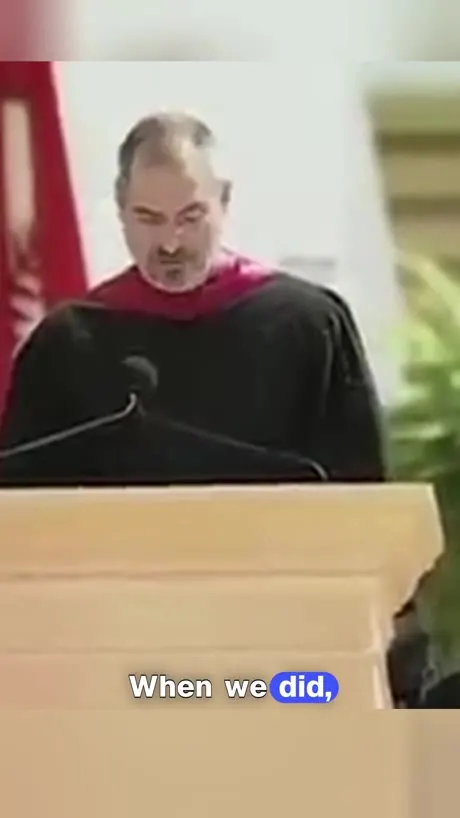
Auto-detect works for most videos. Pick Facecam, Podcast or Talking head if you want to force one. Your clip comes out as a full-screen vertical video, like the two examples here.

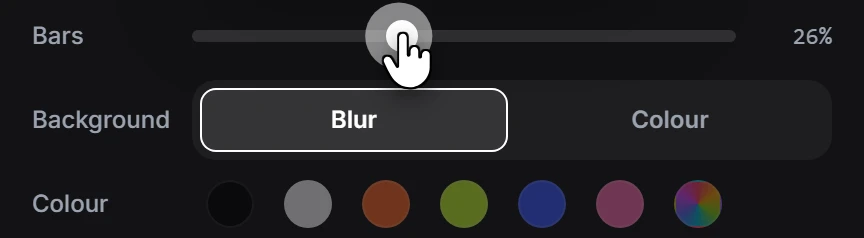
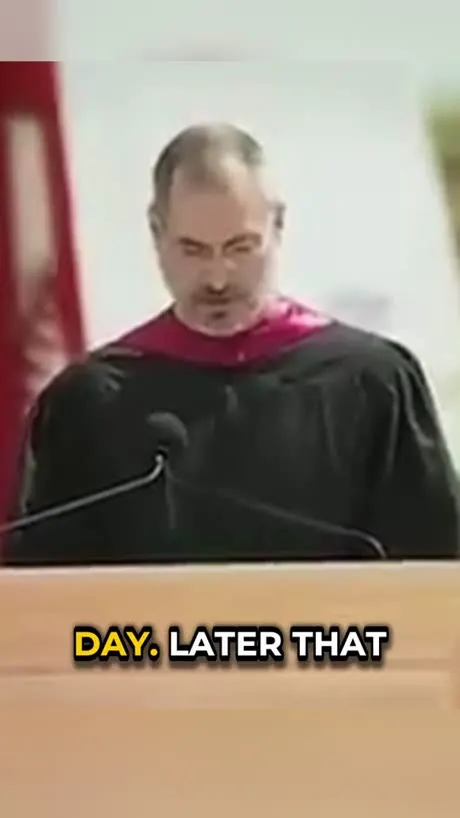
The Bars slider sets how much blurred or coloured space sits above and below the video, and Background switches between blur and a solid colour.
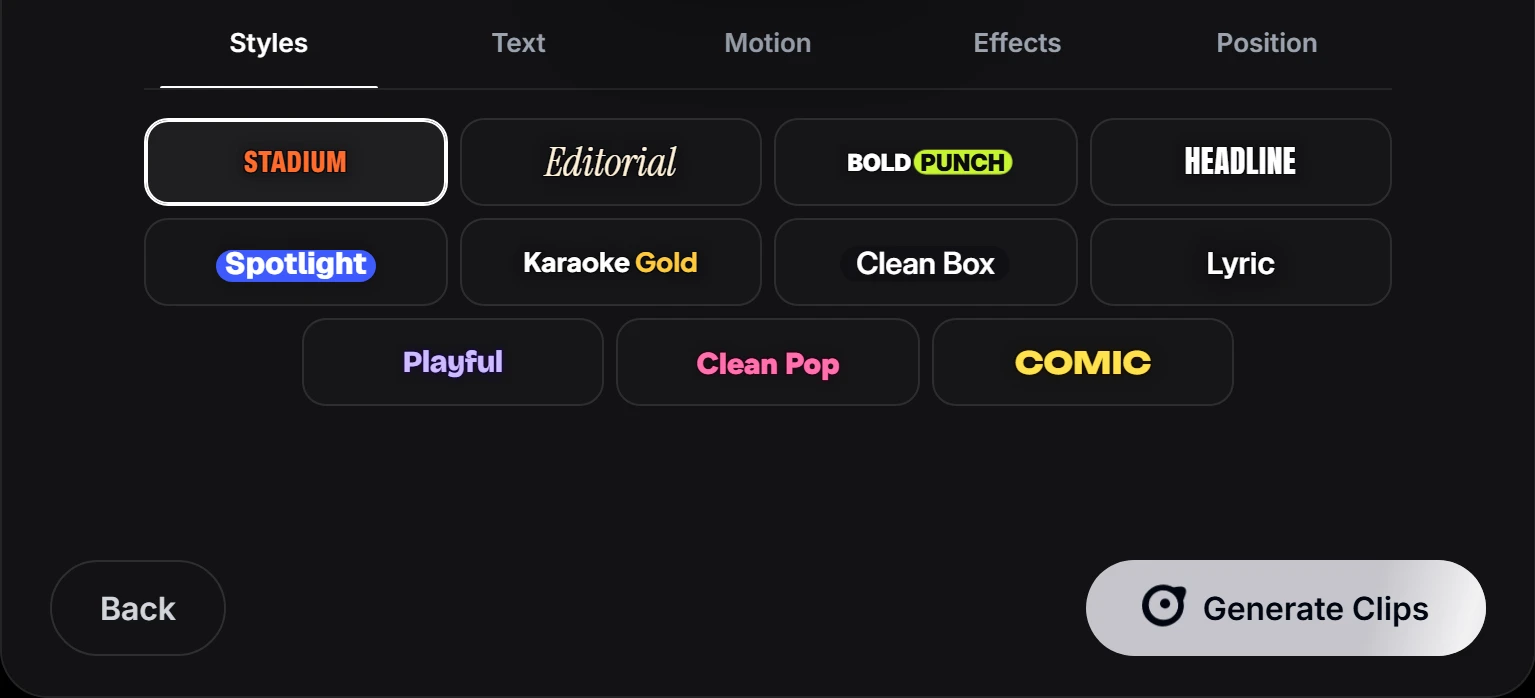
Choose a caption style, then press Generate Clips. Clips appear one by one as they finish.
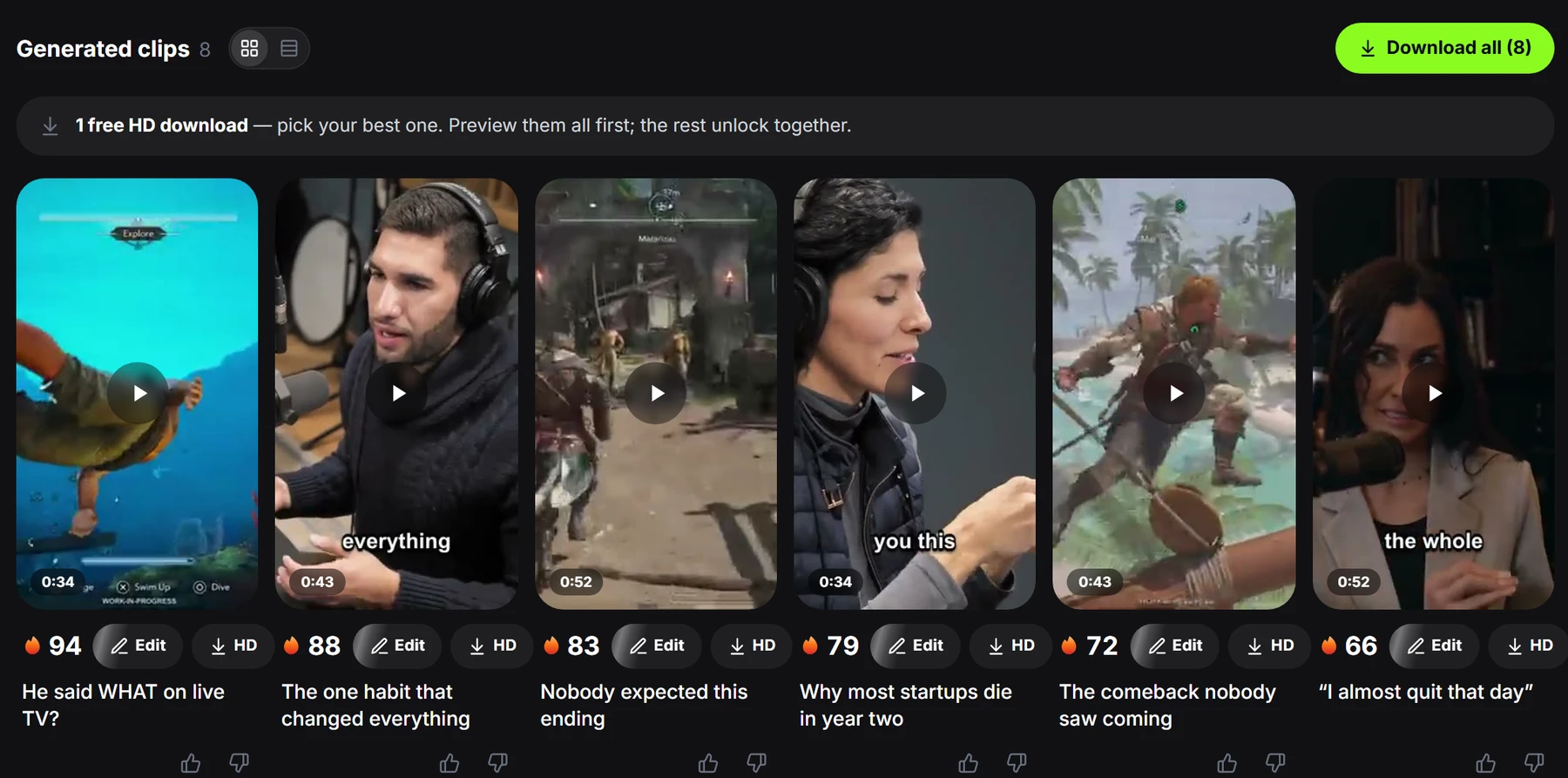
Play each clip and download the ones you will post. Free accounts get one free HD download, and the rest unlock together with a pack.
Post from the account you connected, on a platform the campaign accepts. Each campaign lists its platforms, so check before you post.
Add the hashtags or labels it asks for, keep to the length it sets, and keep likes and comments on if it says so. Do not boost the clip with paid ads unless the brief allows it.
Paste the link to your post into the campaign as proof. Submit right after posting so every view counts.
Clips are checked against the rules. Once a clip reaches the minimum payout, its views earn at the campaign rate, up to the maximum.
The screens after you join a campaign are visible only to members, so follow the on-screen instructions if a button is named differently.
Per-view campaigns usually do not ask for a following. Your pay comes from the views on your clips. Some campaigns set creator requirements that you see once you join, and brand sponsorships are a different path that does look at your audience.
Start with TikTok and YouTube Shorts, since campaigns accepted them often. Add Instagram Reels where allowed, and post the same clip on every platform the campaign accepts. Use one account per subject.
Pick one campaign that supplies its footage and accepts the platforms you use. Clip three to five videos, post them, submit the links and see what happens before adding more.
A new account gets fewer views at first, and earnings follow views. Give it a few weeks of steady posting before you judge it.
Browsing and joining campaigns was free on Content Rewards. Zoupyu gives you free credits to start, and a credit on a free account covers up to 10 minutes of video.
Payout timing is set by Whop and by each campaign. Read the payout terms on the campaign and in your account before you count on a date.
The usual reasons are breaking the brief, missing a required disclosure, low-quality or spammy content, and views that look fake or bought.
Rules differ, so read each brief. Do not submit one post to two campaigns unless both allow it.
Usually yes if it is one of the accepted platforms. Check the brief in case a campaign sets its own account rules.
Yes, Twitch VODs work. Live streams do not, so wait until the stream is saved as a VOD.
Zoupyu says that if YouTube fails on its end, you get the credit back. Try again later, or upload the file.
Yes. Tap a word in the transcript on the Pick your moments screen and edit it before you render.
Rates, budgets and rules change often. Always check the campaign page and the platform's own terms. Nothing in this guide is a promise of income.