Turn any podcast episode into viral Shorts
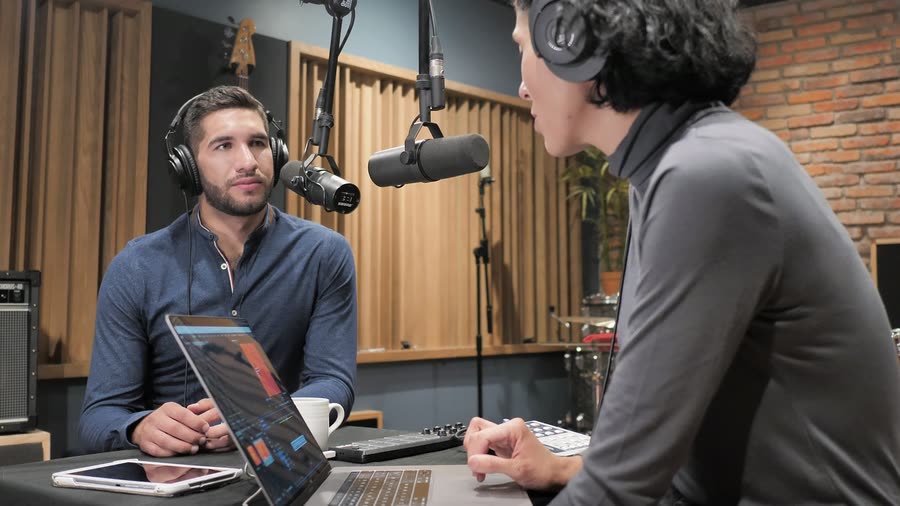
Two speakers, nobody cropped out
A real two-person episode, before and after. The boxes are the speakers the AI tracked in the wide source; the vertical frame stacks them so whoever is talking holds the top.
Before
After
Two speakers, stacked and speaker-aware. Interviews and podcasts get a clean stacked split. The active speaker holds the top; the other rotates in below — no one is cropped out of frame.
Everything you need to clip smarter
Most tools clip blindly. Zoupyu reads your full transcript and picks the moments viewers actually stop scrolling for.
Best Moment Detection
AI reads your full transcript and finds emotional peaks, quotable insights, and punchlines — the moments that make podcast listeners stop mid-scroll. Not random clips.
Auto 9:16 Reframe
Podcast footage is cropped to vertical automatically. Face detection keeps the speaker centred in every clip — no manual keyframing.
Live Subtitles, Any Language
Most viewers watch Shorts on mute. Zoupyu burns in captions — English, Hinglish ("yaar sun" not "यार सुन"), and more — so every word lands.
One Link, 10 Clips
Paste the episode’s YouTube link — or upload the file — and get up to 10 clips back. No downloading your own episode to re-upload it, no scrubbing the timeline, no editor required.
Done in Minutes
Most episodes are processed in under 8 minutes. Live status updates show exactly where your clips are — transcription, detection, rendering.
Ready to Post
Download 9:16 MP4s and post straight to YouTube Shorts, Instagram Reels, or anywhere. No export fuss, no watermark.
Live in three steps
No setup. No manual scrubbing. Just upload and go.
Paste the Link or Upload
Paste the episode's YouTube link and we fetch it — your own show or anyone else's — or drop in the recorded video (MP4 or MOV). No setup beyond signing up; processing starts immediately.
AI Picks the Moments
Zoupyu reads your full transcript and spots the emotional peaks, hooks, and insights that make people stop and share.
Download Your Shorts
9:16 clips with captions burned in. Most podcast episodes are done in under 8 minutes.
Simple, transparent pricing
Start for free. Upgrade when you're ready.
Just want one video?
Unlock that one on its own. No pack, no subscription.
- Every clip from that one video
- Full quality, no watermark
- Yours to keep — no expiry date
Three unlocks cost about what Starter does — and Starter unlocks every video you make from then on, plus 12 credits. Past the second, buy the pack.
3 credits
- 3 credits — 10 min of video each
- Up to 7 clips per video
- Burned-in captions — language auto-detected
- Preview every clip
- HD downloads with a video unlock or any pack
+12 credits
- 12 credits — 1 hour of video each
- Up to 22 clips per video
- Burned-in captions — language auto-detected
- Every clip in HD, no watermark
- HD previews — watch every clip in full quality
- Priority processing
+30 credits
- 30 credits — 1 hour of video each
- Up to 22 clips per video
- Burned-in captions — language auto-detected
- Every clip in HD, no watermark
- HD previews — watch every clip in full quality
- Priority processing
+80 credits
- 80 credits — 1 hour of video each
- Up to 22 clips per video
- Burned-in captions — language auto-detected
- Every clip in HD, no watermark
- HD previews — watch every clip in full quality
- Priority processing
- Dedicated support
Everything you need to know
Zoupyu needs a video file to reframe and crop the footage into 9:16. Most podcasters record on video already — if you do, just upload that. If you only have audio, a static image + audio screen recording also works.
Yes. Paste the YouTube URL and Zoupyu fetches the episode itself — no downloading a two-hour file to upload it again. Twitch VOD and Google Drive links work the same way, and direct upload is still there if you would rather send the file.
Yes. Zoupyu works for any spoken language — English, Hinglish, Hindi, and more. The transcription model adapts to what it hears, so English-only episodes transcribe cleanly.
Zoupyu handles long videos. Processing time scales with length, but the AI scans the whole thing and picks the best 5–10 moments — so even a 3-hour episode gives you focused, high-quality clips from the best parts.
It reads your full transcript and looks for emotional peaks, strong hooks, quotable lines, and narrative high points — segments most likely to make someone stop scrolling. It also checks viewer engagement patterns where available.
Yes, better than anything else. Zoupyu uses Sarvam AI Saaras v3 in translit mode — built specifically for Hinglish code-switching. Most transcription APIs mangle mixed Hindi-English speech; Saaras v3 handles it natively in Roman script.
Between 5 and 10 clips per upload, depending on the length and density of strong moments in your episode. Each clip is typically 30–90 seconds.
Learn more from the blog
The Podcast-to-Shorts Engine
How long-form creators scale clips without burning out.
Read articleReframing Landscape Video into Vertical Shorts
Keeping two podcast speakers in frame when the crop goes vertical.
Read articleHow to Generate Live Captions for Any Video in 2026
The caption workflow for 45-minute episodes that does not break on Hinglish.
Read articleStart clipping your content today
Paste a YouTube or Twitch link, or upload your video, and get vertical Shorts with captions burned in. 3 videos free, no credit card needed.